
Electrical Symbols for AutoCAD / AutoCAD LT
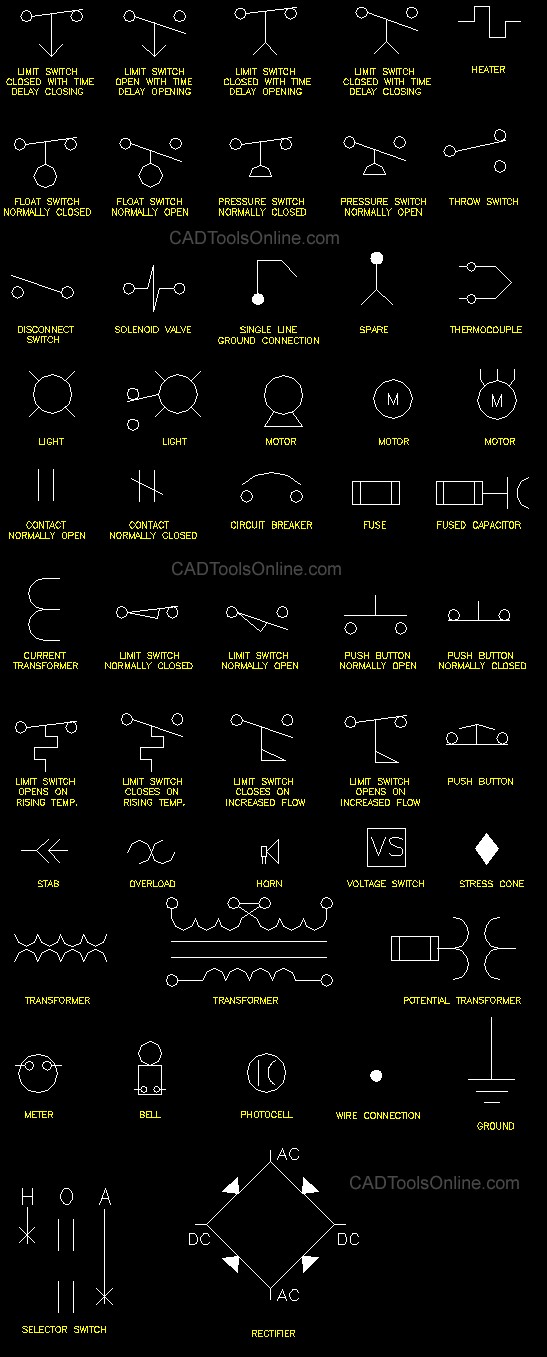

Electrical Symbols for AutoCAD
These AutoCAD Electrical Blocks are easily accessed from a top pull-down menu. The library is compact and fully compatible with both AutoCAD and AutoCAD LT versions 2006 through the latest AutoCAD release.
Note: Both PC and Mac for AutoCAD version are now available
(see pulldown under buy button on right side). Contains 165 Electrical Symbols for AutoCAD or LT.
This popular AutoCAD Block library contains 165 electrical symbols and contains 165 symbols grouped in the following categories:
- 50 Electrical diagram symbols
- 61 Power symbols
- 45 Lighting symbols
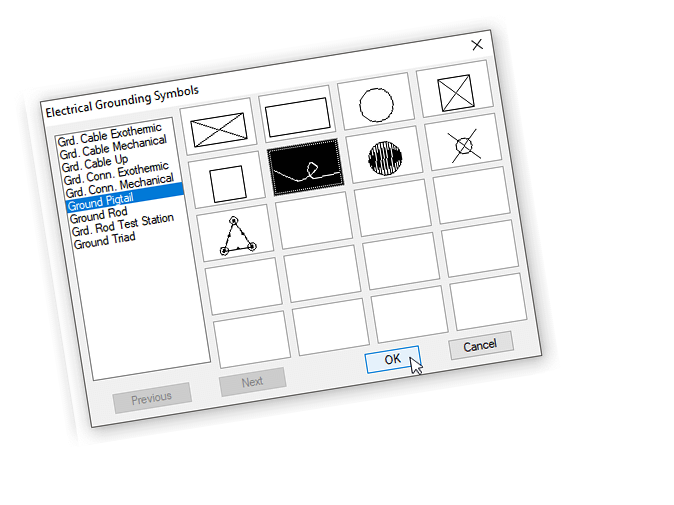
- 9 Grounding symbols
- Installs easily into AutoCAD, AutoCAD LT or AutoCAD Mac
AutoCAD Electrical Blocks Completely Organized!
The block library is also very easy to use, in fact, there’s nothing to learn. Simply load the library in AutoCAD and you’re done! Includes a 30 day money-back guarantee. This library works in both AutoCAD and AutoCAD LT.
The electrical blocks can be easily loaded into AutoCAD or AutoCAD LT’s menu bar for quick access. Full instructions are included. There’s no need to browse through folders every time you need to insert a symbol. This library is guaranteed to save you hours of drawing time.
How The Block Library Works:
The electrical block library’s user-friendly interface allows you to simply point and click to choose from a wide range of electrical symbols. Once loaded in AutoCAD or AutoCAD LT’s menu bar, “Electrical Library” will appear in the menu bar (if you using the Mac version a content palette will become available). Every symbol is drawn to 1:1 scale on layer zero with “bylayer” attributes.
Simply choose an electrical category of symbols from the pull-down menu list. Next, a dialog box appears showing all of the available symbols with a description in the left window. Choose the symbol you would like to insert and click on “OK”. Lastly, rotate to the desired position in your AutoCAD drawing and insert the symbol.
Once the symbols is inserted, it will take on the characteristics of your current layer settings.
Instructions on downloading and installing these AutoCAD Electrical Blocks will be sent immediately after the order is placed.
The fastest way to get your electrical drawing done is to use a set of pre-made blocks like these.